EasyAccess ZTNA: access without the network
Application-layer tunnels that give a user exactly the services their policy allows, and nothing else. Device posture is verified before the connection and continuously during the session. Data loss prevention, a web application firewall and vulnerability scanning are part of the product, not add-ons.
- Device posture
- 30+ checks, verified continuously
- Included
- DLP, WAF and CVE scanning
- Deployment
- Your infrastructure only
The VPN was never an access control
A VPN answers one question, whether this device is allowed onto the network, and then stops asking. Everything after that is a routing problem, not a security decision.
That model made sense when the office was the perimeter. It does not survive contractors, personal devices, cloud workloads and staff who sign in from four countries in a month. The moment credentials are phished or a laptop is compromised, the attacker inherits the same network reach as the employee, and the VPN has no further opinion on the matter.
Virtual desktops are the usual escape hatch, and they trade the problem for latency, licence cost and a worse day for the user. Cloud-delivered ZTNA solves the control problem but routes your internal traffic through someone else's infrastructure, which is precisely what a regulated organisation cannot sign off.
Lateral movement is the default
Once on the network, a compromised device can reach everything the route table allows, including systems the user was never meant to see.
Device health is checked once, if at all
Antivirus disabled, disk encryption turned off or a firewall switched off mid-session goes unnoticed until the next connection.
Data leaving is somebody else's product
Content inspection, web filtering and vulnerability management arrive as three more vendors, three more consoles and three more audit trails.
The audit trail is thin
Connection logs tell you a tunnel existed. They rarely tell you which service was reached, under which policy, or why an attempt was refused.
A complete access platform
Everything below ships in the same product, administered from one console and written to one audit log.
Zero Trust access
Per-service authorization over QUIC, with automatic WebSocket fallback where UDP is blocked. The network itself is never exposed.
- Application-layer tunnels, no network route
- Registered-devices-only mode
- TLS 1.3 with certificate pinning
- Virtual routing tables for traffic isolation
- Local SOCKS5 proxy and browser extension
Device posture
A single posture engine gates the connection and keeps re-evaluating it while the session is live, rather than checking once at connect time.
- Operating system version and patch state
- Antivirus, EDR and firewall status
- Disk encryption and required software
- File and registry checks
- Third-party VPN and virtual machine detection
- Browser security signals
Identity and MFA
Federate with the identity provider you already run, or use the built-in directory. Administrators get a separate portal with multi-factor authentication enforced.
- SAML 2.0 and OAuth 2.0 / OIDC single sign-on
- SCIM 2.0 user and group provisioning
- TOTP and WebAuthn (FIDO2) factors
- Role-based access control, 87 permissions
- OAuth device authorization grant for CLI
Data protection
Inspection and enforcement sit in the access path, so policy applies to the data moving through the tunnel rather than to a copy of it somewhere else.
- Content inspection with built-in patterns
- Behavioural DLP for volumetric and off-hours anomalies
- Tiered enforcement rather than a single block
- Web application firewall, OWASP Top 10
- GeoIP filtering and work-time schedules
Threat detection and response
Detection feeds an incident workflow with a defined lifecycle, kept separate from the audit log so that investigation does not pollute the record.
- Behaviour analysis over session activity
- Security incidents with triage and resolution
- Automatic quarantine with cluster-wide tunnel teardown
- CVE scanning across NVD, OSV, GitHub Advisories, EPSS and more
- Integrations with Nessus, OpenVAS, Qualys and Rapid7
Operations
Built for the team that has to run it on a Tuesday: live dashboards, scheduled jobs you can pause, and a health report that produces one score.
- Security Health Center with cluster-wide grading
- Live dashboard and sessions over Server-Sent Events
- Audit log with filters, retention and CSV export
- Automatic Let's Encrypt certificates, synced across the cluster
- Prometheus metrics, Grafana dashboards, Sentry
What your administrators see
One console for access policy, data protection, incidents and compliance evidence.
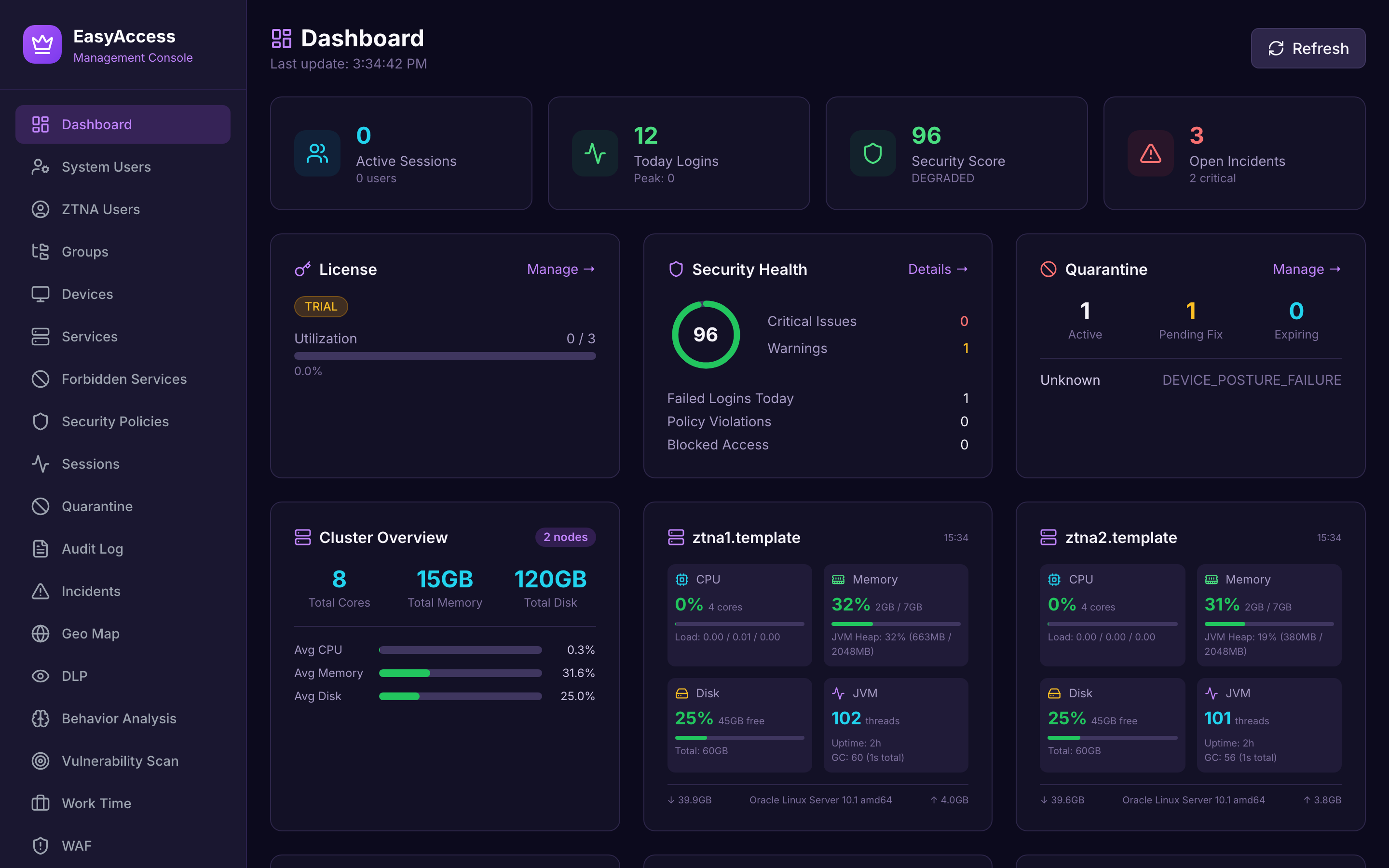
Management dashboard
Active sessions, security health, open incidents and licence utilisation, updating live over Server-Sent Events rather than on a refresh timer.
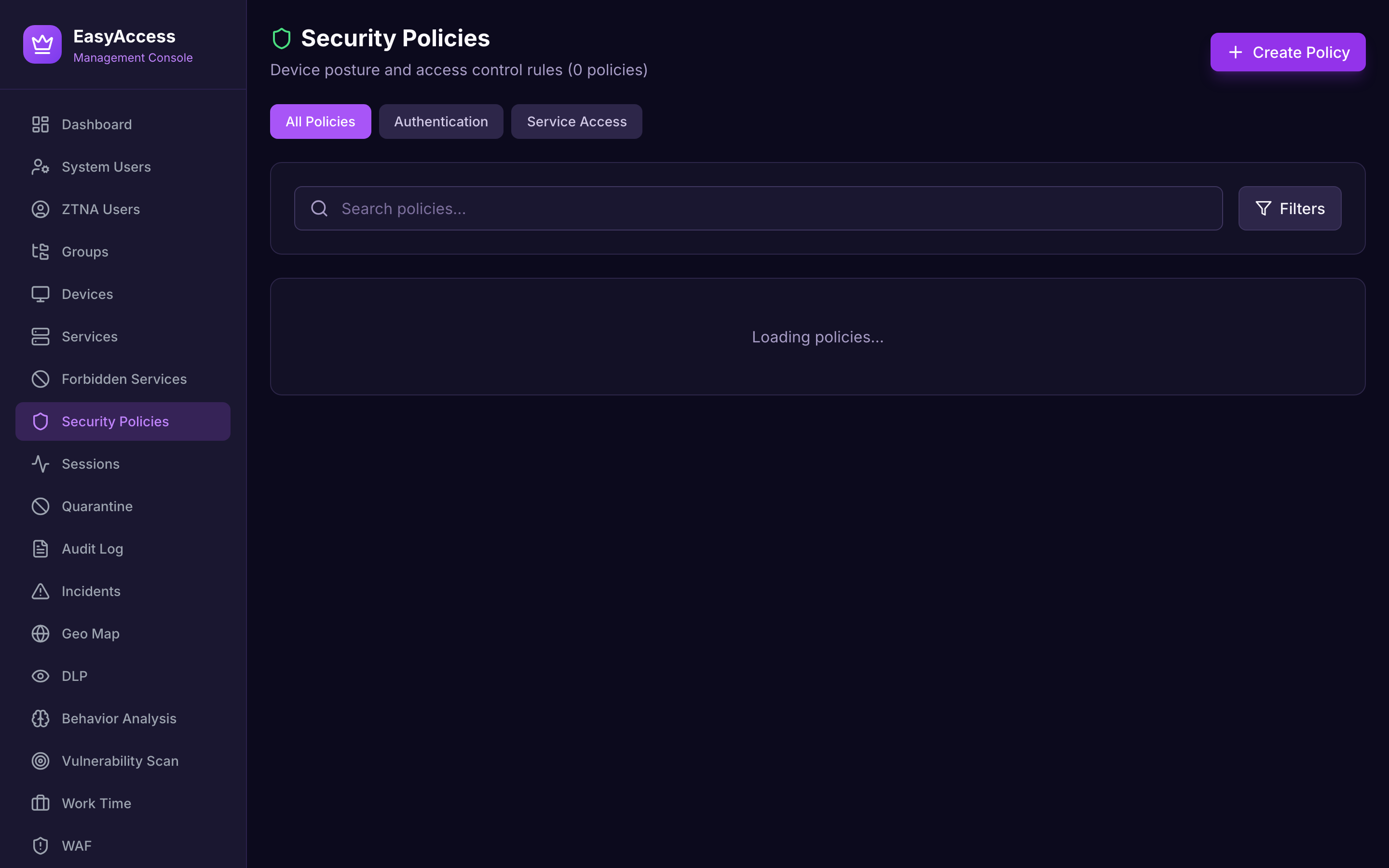
Security policies
Device posture requirements, geographic restrictions and time-based rules, composed per group and per service.
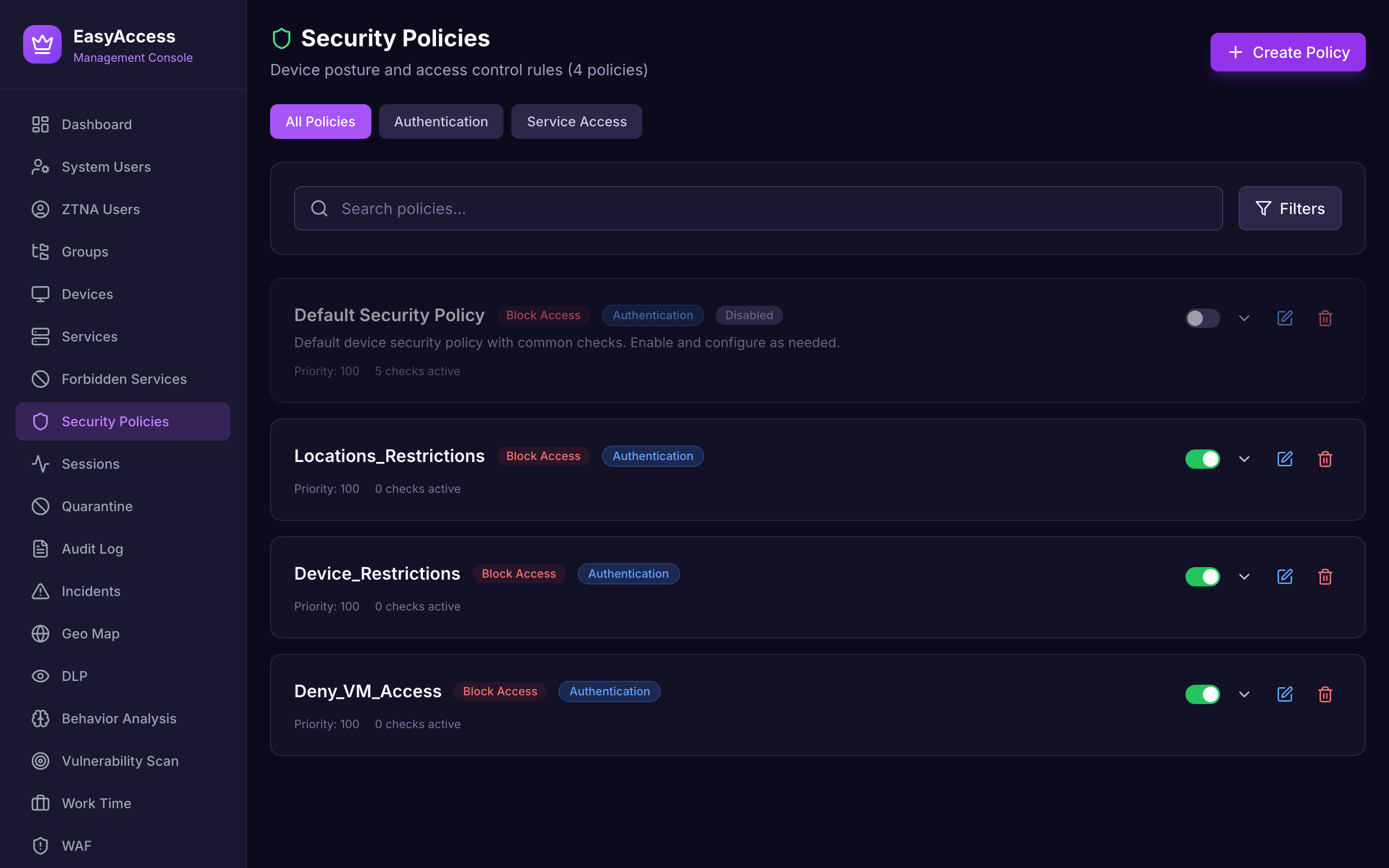
Security health
A cached, cluster-wide report that turns the state of the deployment into a single score and grade with the contributing findings.
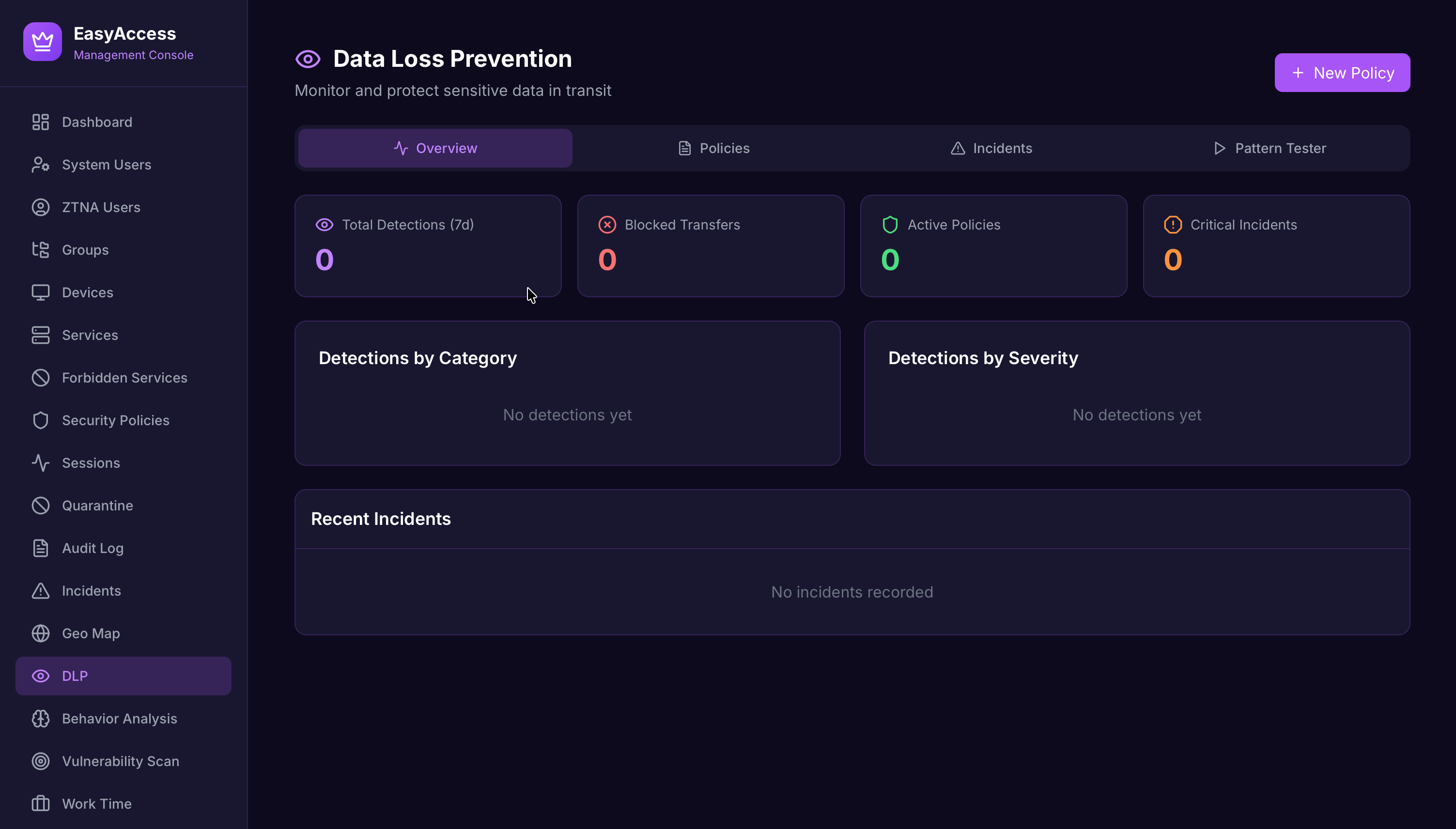
Data loss prevention
Content inspection and behavioural detection with tiered enforcement, so a first offence need not be a hard block.
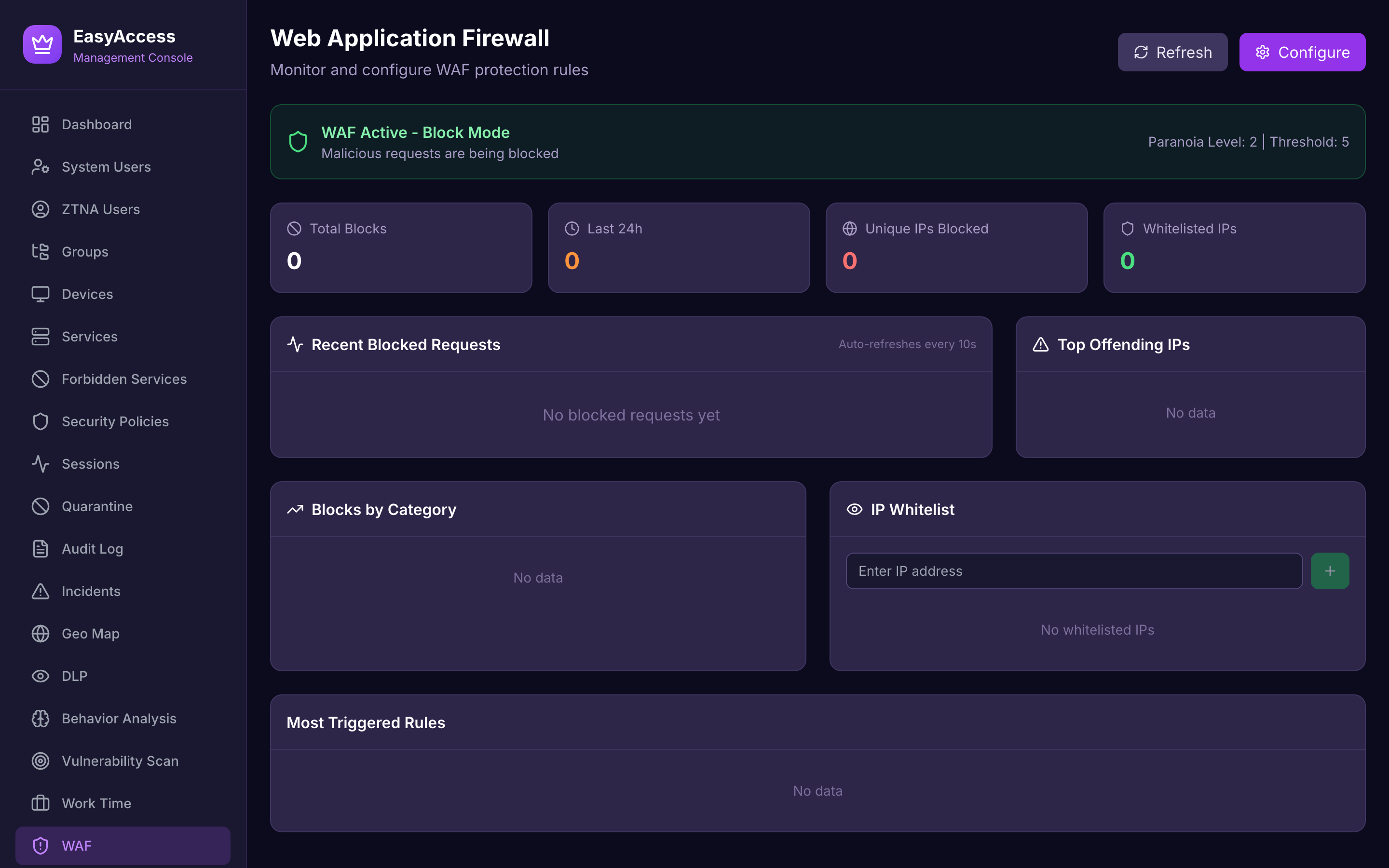
Web application firewall
OWASP Top 10 protection in front of published services, with its own metrics and a distinction between WAF bans and security incidents.
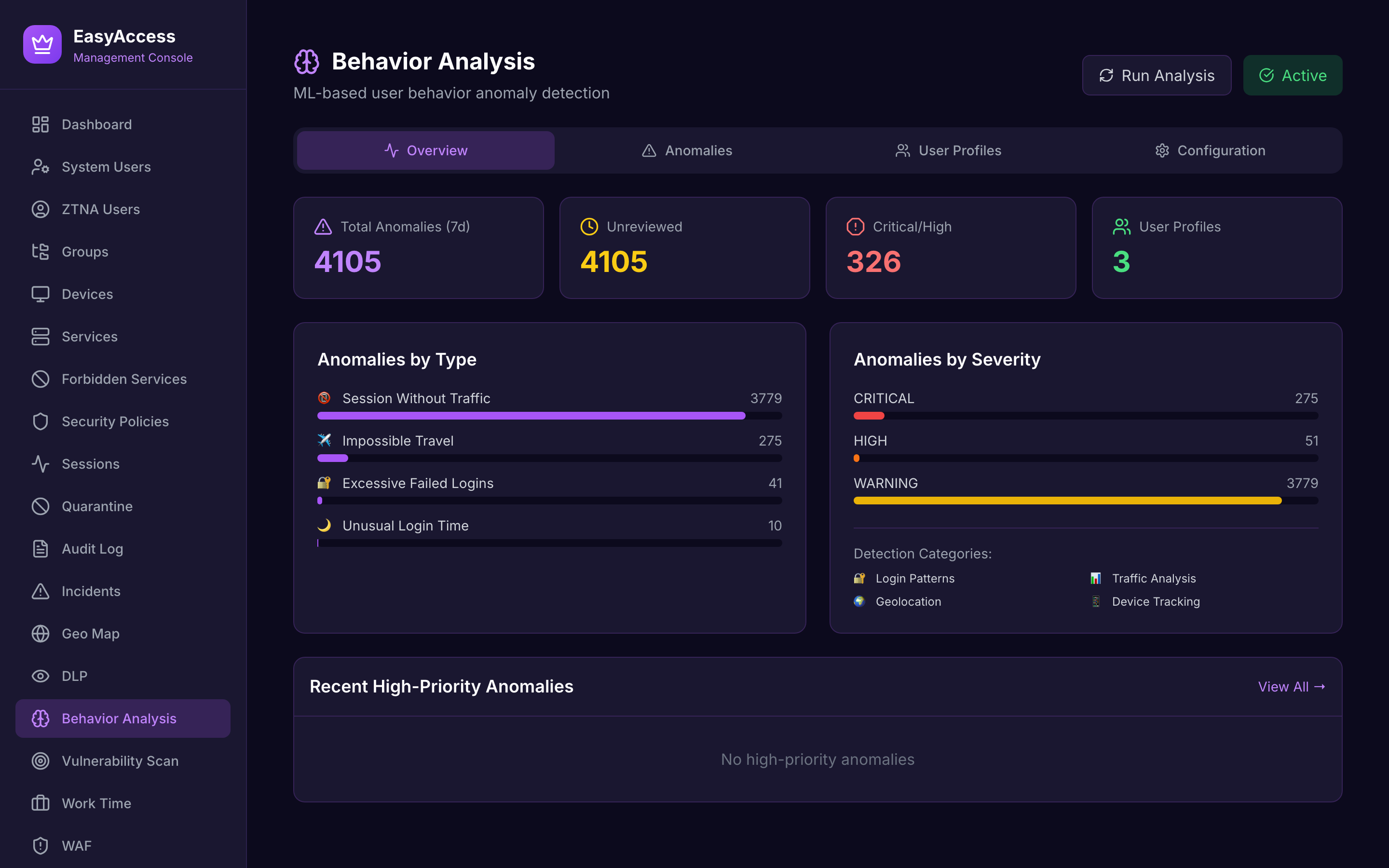
Behaviour analysis
Anomaly detection across session activity: sustained downloads, off-hours access and volumetric outliers.
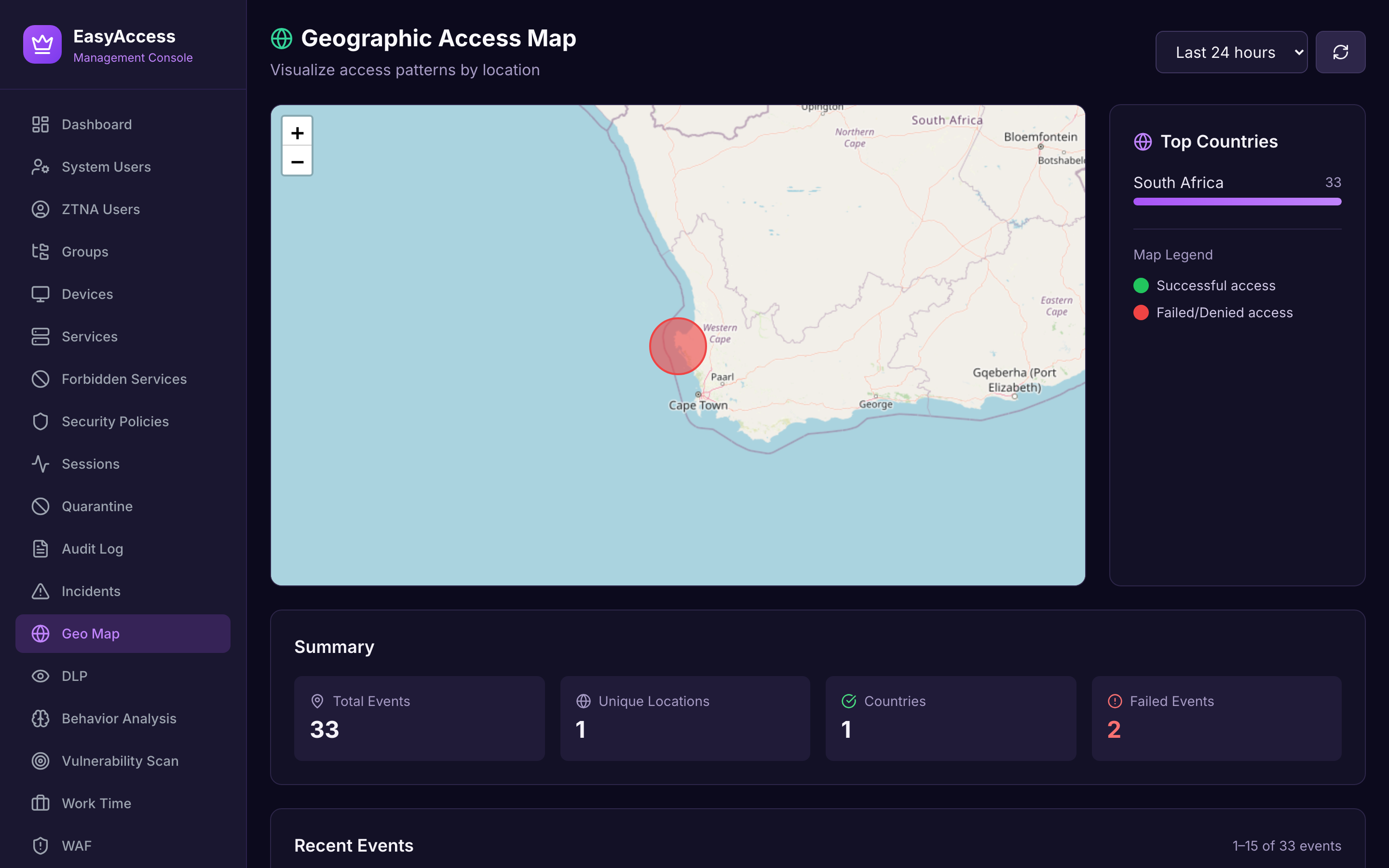
Geographic access
Where sessions originate, drawn on map tiles the server builds and serves itself. No third-party tile provider is contacted.
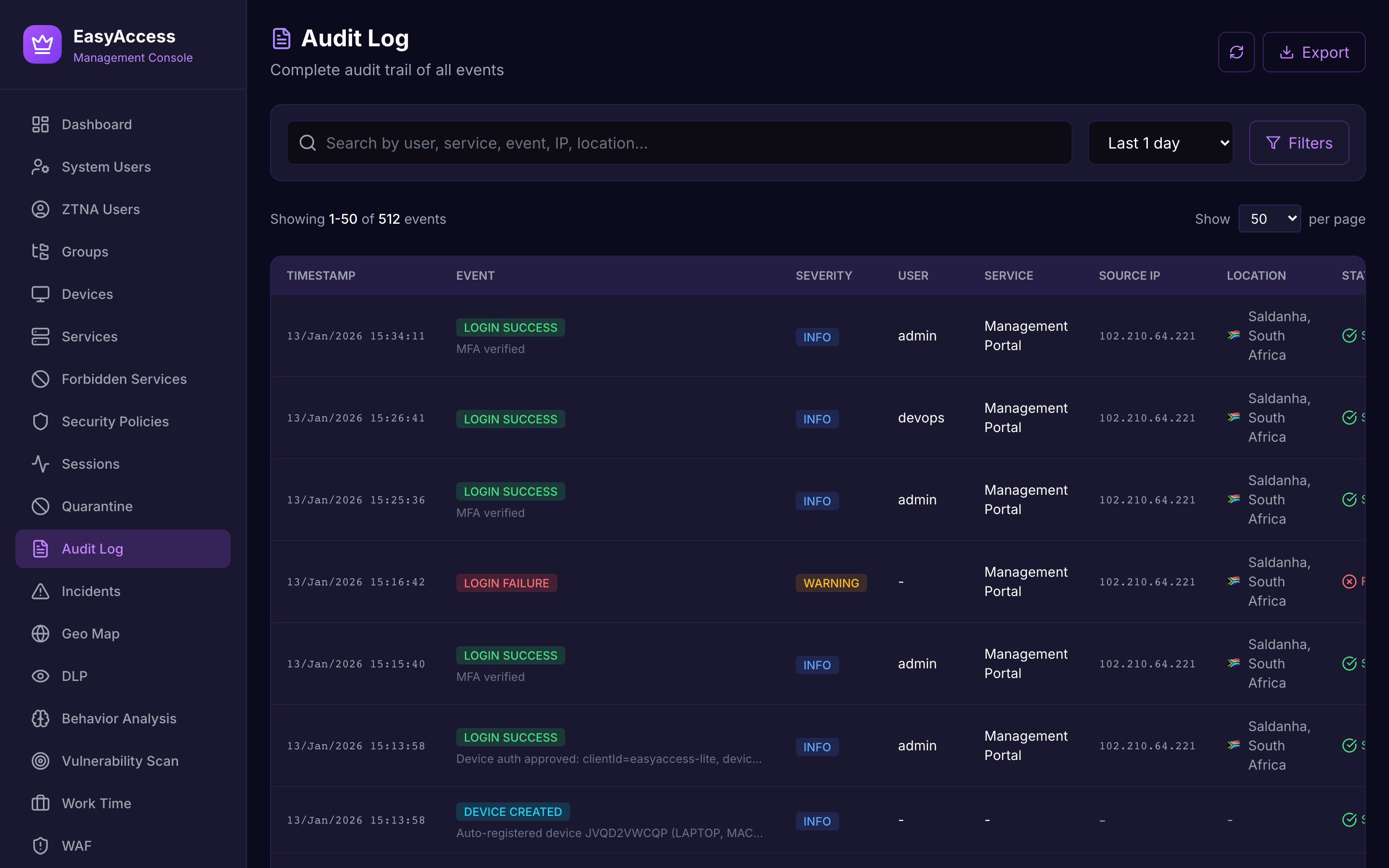
Audit log
Filterable, retained and exportable as CSV from the server.
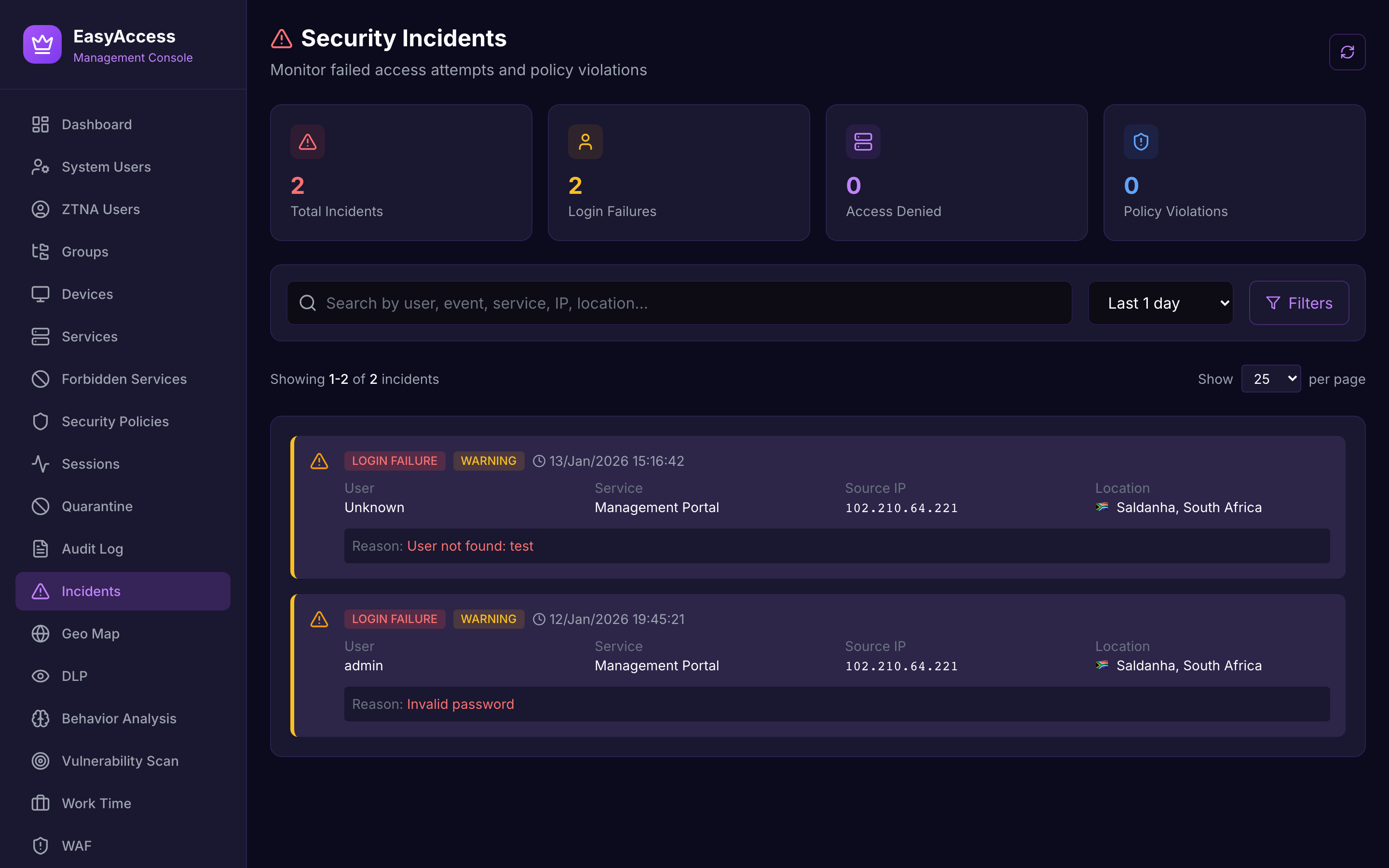
Incidents
A SOC lifecycle with triage and resolution, separate from the audit trail.
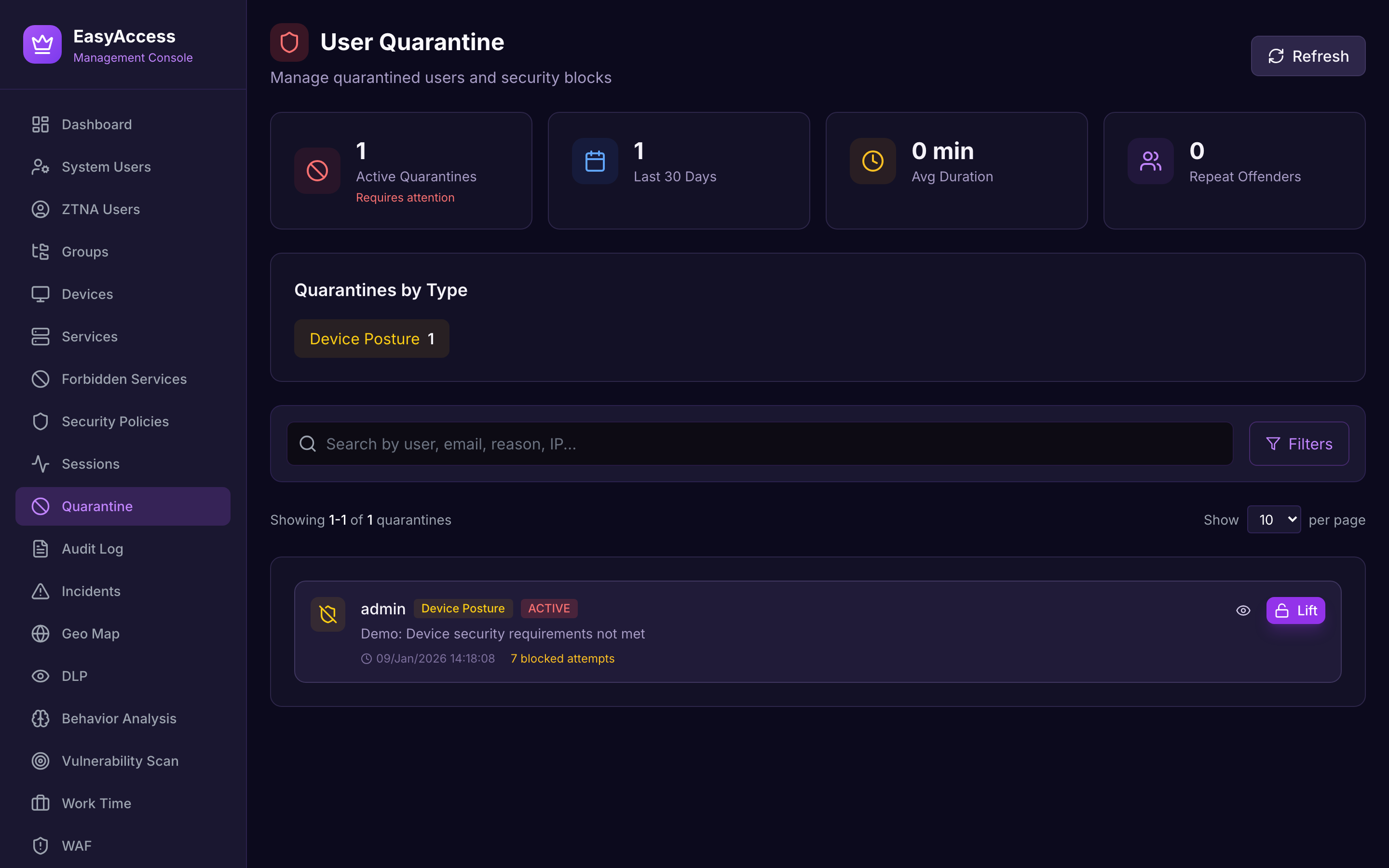
Quarantine
Isolation that tears down tunnels across the cluster and locks sign-in.
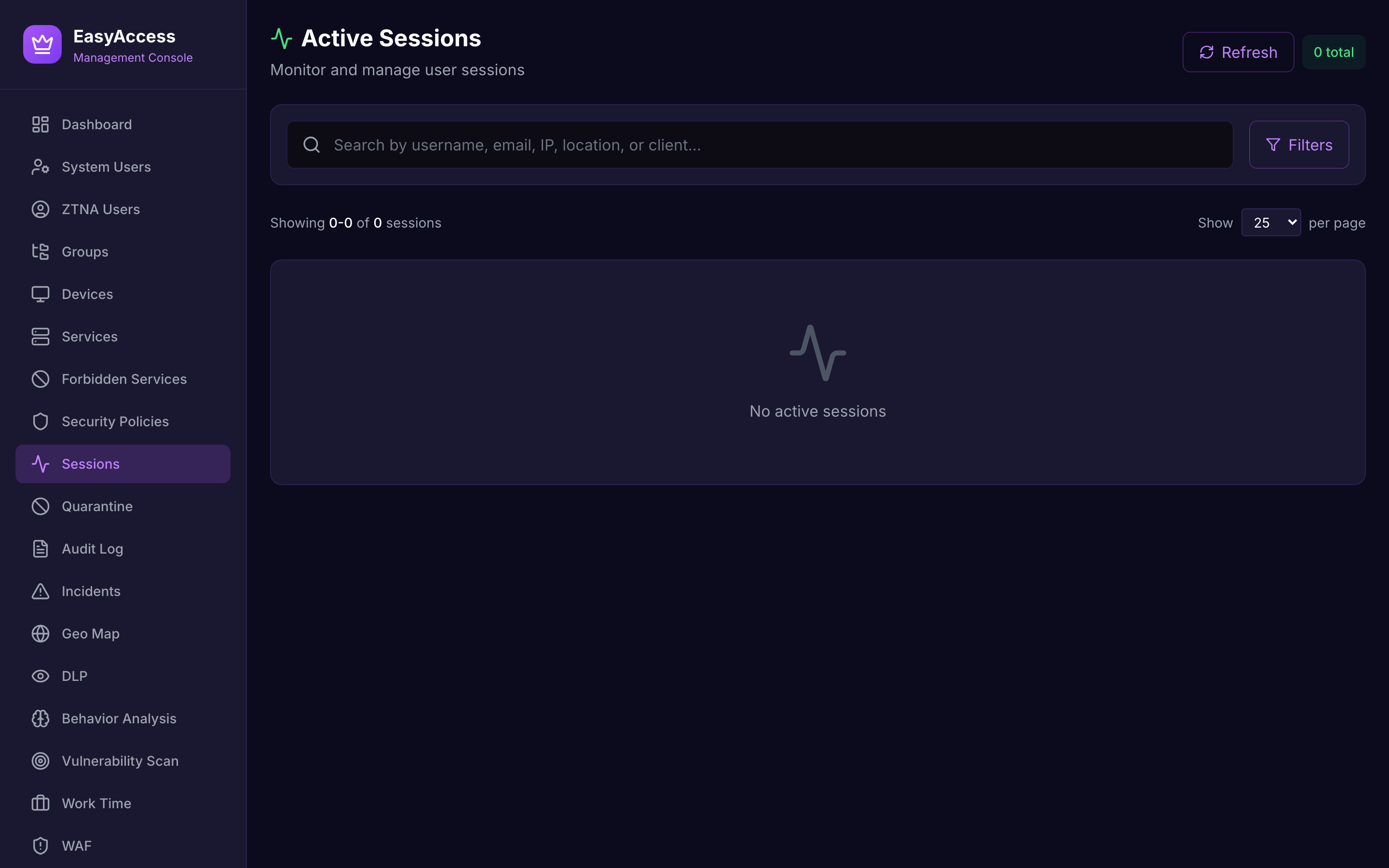
Sessions
Who is connected, to which service, from where, right now.
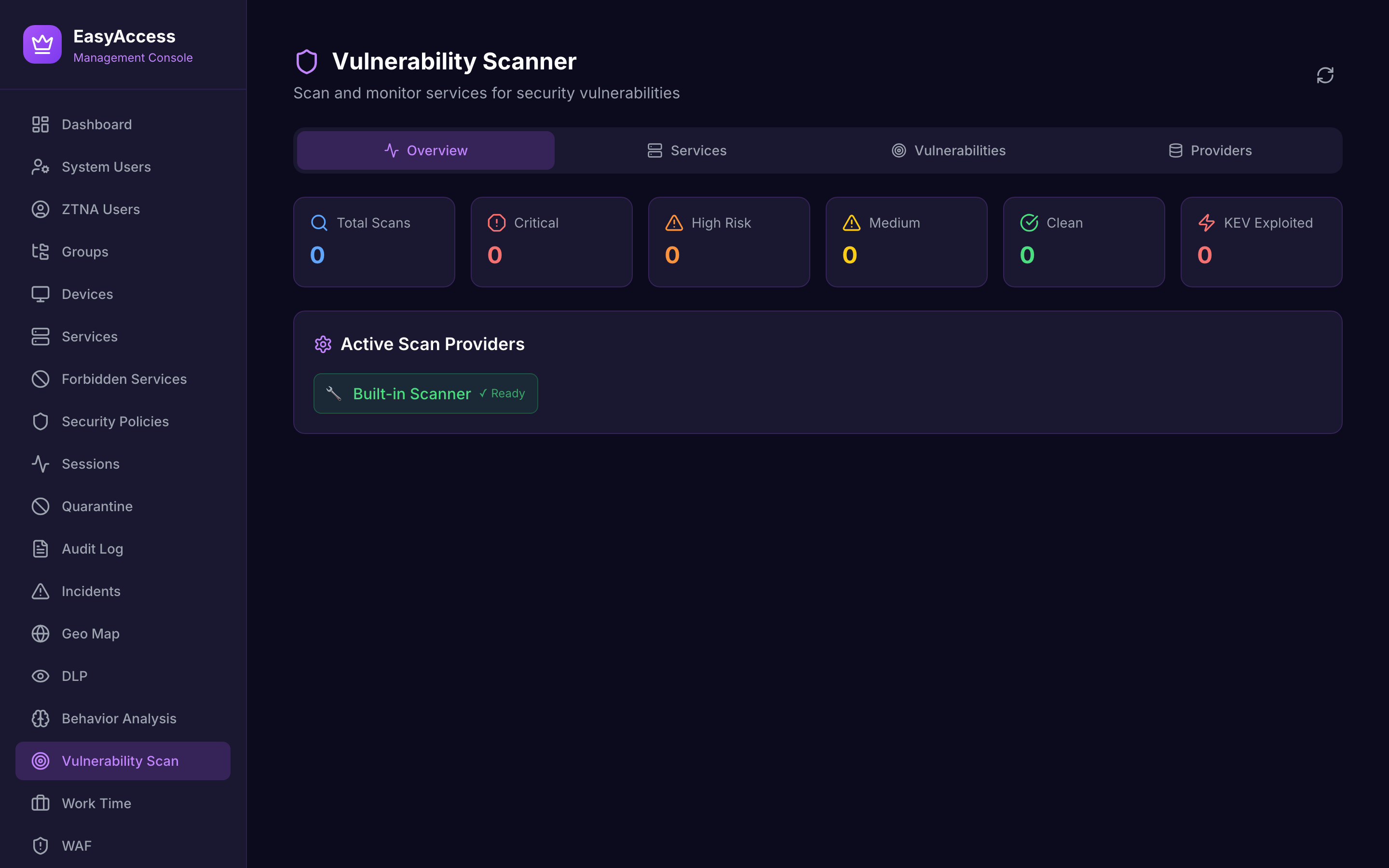
Vulnerabilities
CVE exposure per published service, correlated across several sources.
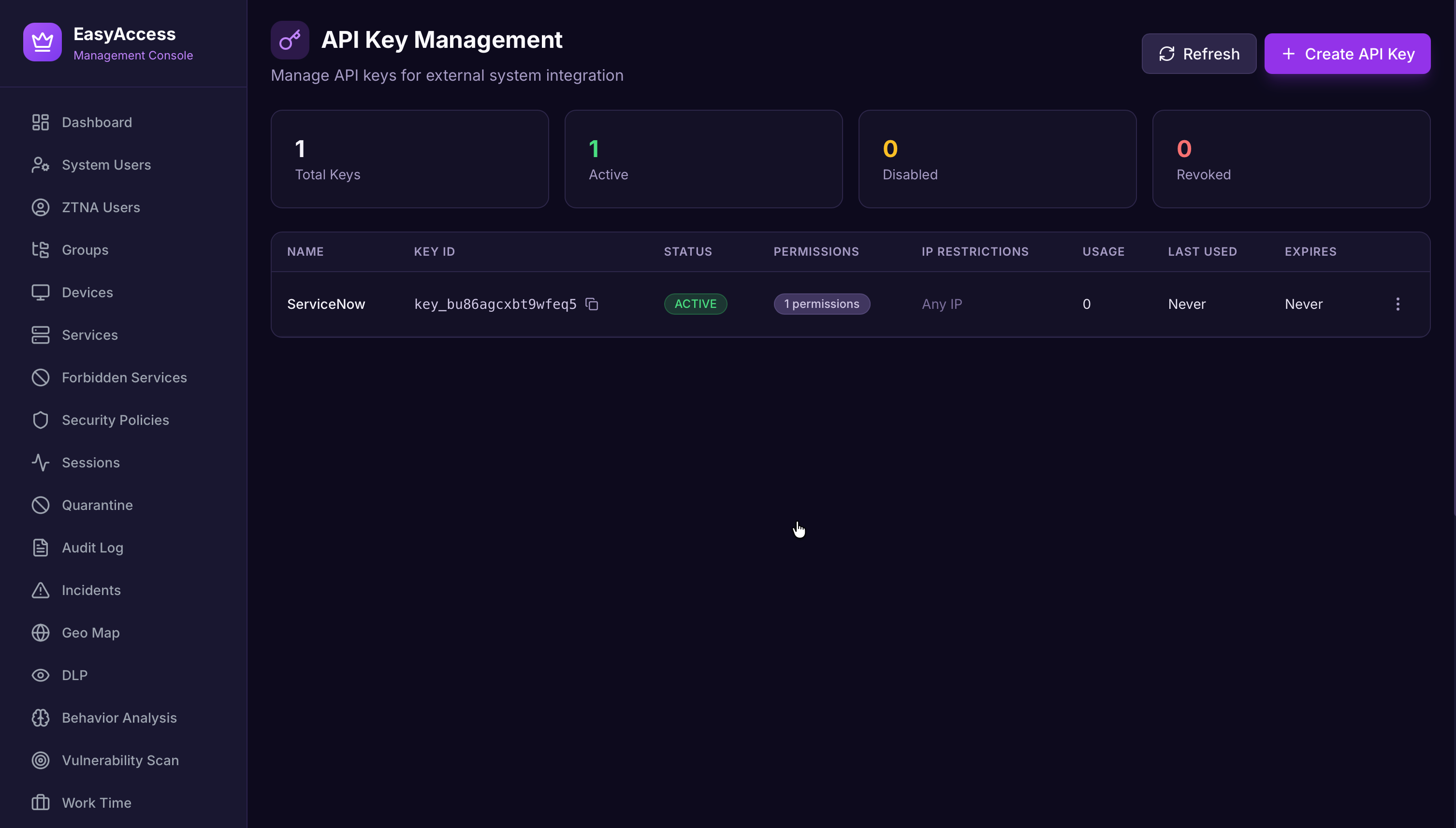
API keys
Integration tokens with scoped permissions, rotation and usage audit.
What it is made of
A clustered Kotlin control plane, a native Rust client and a browser extension, all released together under one version number.
Where the differences actually are
The meaningful choice is not between vendors, it is between three ways of delivering access control, and what each one does with your traffic.
| Legacy VPN | Cloud-delivered ZTNA | EasyAccess | |
|---|---|---|---|
| Traffic stays inside your perimeter | ✓ | ✗ | ✓ |
| Per-service authorization | ✗ | ✓ | ✓ |
| Continuous device posture during the session | ✗ | ~ | ✓ |
| DLP, WAF and CVE scanning | Separate products | Priced modules | Included |
| Air-gapped deployment | ~ | ✗ | ✓ |
| Vendor can observe your traffic | No | By design | No |
| Commercial model | Appliance plus support | Per-seat subscription | Term licence, you host it |
Evidence, not assertions
EasyAccess ZTNA ships a control matrix in which every claim is tied to code in the product, with each control marked as implemented, partial or operational. Controls are mapped to:
- PCI DSS v4.0
- ISO 27001:2022
- SOC 2
- NIST SP 800-53 Rev. 5
- OWASP ASVS 4.0
- GDPR
- SWIFT CSP v2024
Mapping controls to a framework is not the same as holding a certificate. SOC 2 Type II certification is in progress; ISO 27001 certification is planned. We will say so plainly in a procurement process rather than let a logo imply otherwise.
Bring your own licence
You host the software and hold a licence for it. Licences are cryptographically signed, bound to the deployment and audited across cluster nodes.
Ready to retire the VPN?
We will walk through EasyAccess ZTNA against your own services, identity provider and compliance obligations, and tell you where it does not fit, if it does not.